

Article
The Arttoo Price Database allows you to browse millions of current and historical auction results from leading auction houses around the world. It’s a valuable tool for researching artists, understanding market trends, and evaluating artworks—all for free.
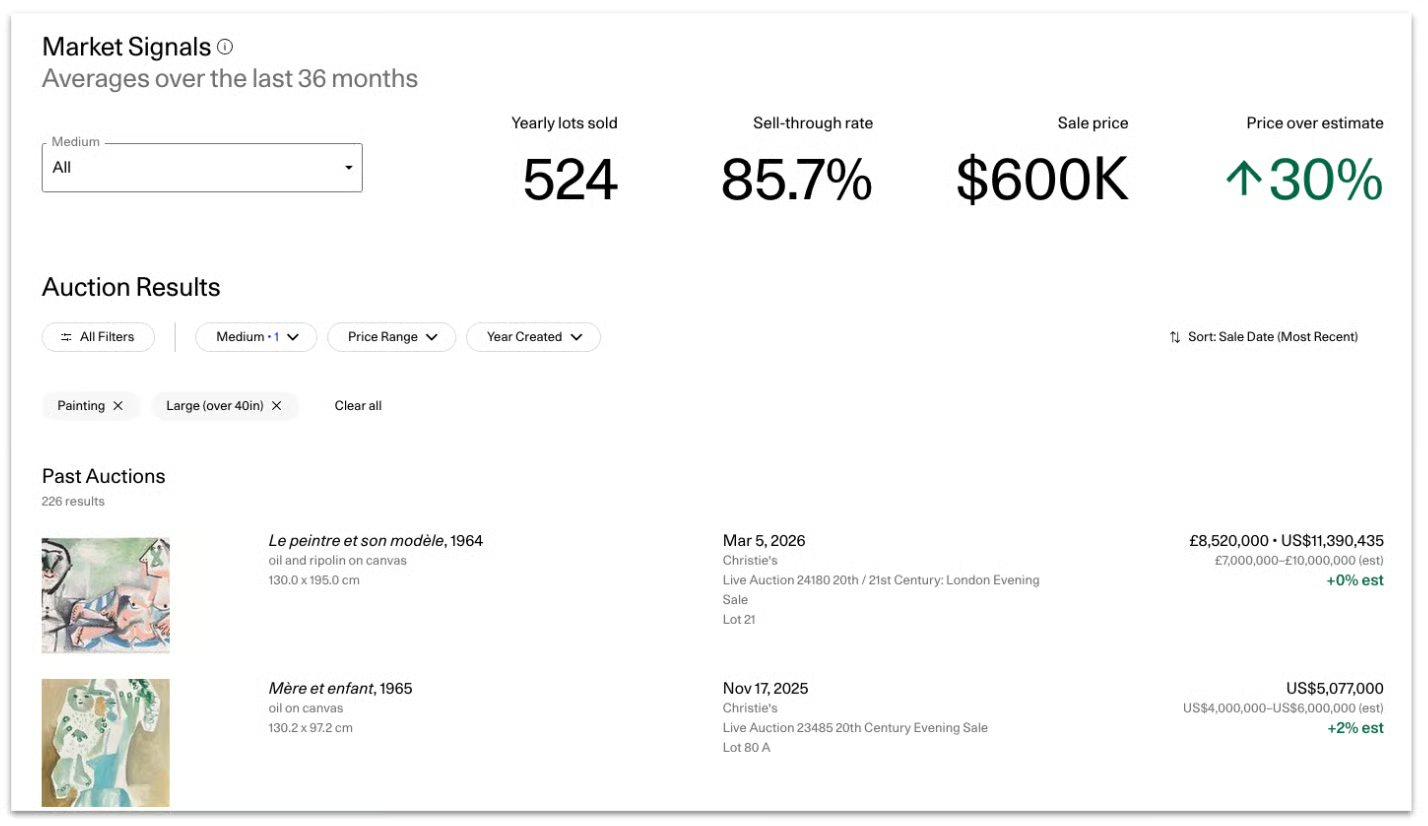
Search for an Artist
- Enter an artist name in the search bar at the top of the Price Database
- Select the correct artist from the results
Filter Your Results
To refine your search, you can apply filters such as medium and size. Click “Search” to update your results.
You can find various other filters on the Market Signals page to further refine your search:
- Keyword Search
- Year Created
- Original Currency of Sale
- Price
- Sale Date
- Auction House
Sort Results
Use the dropdown menu on the right side of the search bar to sort results by:
- Date (most recent)
- Estimate
- Sale price
Click the dropdown arrow on any result to view more detailed information.
Understanding Auction Results
Each auction record includes key details to help you evaluate the work:
- Artwork image
- Artwork title
- Medium
- Sale date
- Auction house
- Realized price (original currency)
- Realized price (USD equivalent)
- Percentage difference from the pre-sale estimate
- Artwork size
- Pre-sale estimate
When reviewing auction results, consider the following:
-
Compare like-for-like works
Look for artworks with similar size, medium, and date to get the most accurate comparisons -
Review multiple results
A single sale doesn’t define an artist’s market—look at trends across several works -
Pay attention to recency
More recent sales typically better reflect current market demand -
Use estimate vs. realized price
Results above estimate may indicate strong demand
Results below estimate may suggest softer demand
Need Help?
Contact Arttoo Support via support@arttoo.co or +1 (800) 718-4149 (Monday-Friday, 5am-5pm ET).